Squidoo and FlockDraw

So, while working on this whole wedding website thingy  – and avoiding doing what I should be doing – I have stumbled upon two new (to me) online tools that I am considering implementing.

FlockDraw

The first one is FlockDraw. And it’s beyond cool. Somehow, thanks to the amazing power of the Internets, it allows for collaborative drawing. Like, I could be drawing on it, and you could be drawing on it AT THE SAME TIME … and we can see each other do this … in real time.

It’s FLASH based, I believe and it’s really cool … when it works. I say this because I drew something at work, and then later today from home, I went to look at it and it was gone. I did post it to Facebook, and though no one commented, maybe someone erased it? Shrugs. See it here:

[It was embedded here. But, I’ve since removed it – it was not working as I had hoped and was busting my WordPress container.]

Of course, at this moment, it’s blank again. Sigh. Well, we’ll see … maybe it will right itself.

Just in case, I’ve embedded it here in this non-blog page: http://www.brandonandkimberly.com/flockdraw.html … It’s not working as of this writing. The “embed” code they give out is wonky, and it doesn’t even display on my Mac at work. Go figure.

In the meanwhile, the URL for the one I’ve been playing with is: http://flockdraw.com/cc0u4z

UPDATE: Oh wait, now I get it: “It’s important to note that these FlockDraw rooms are meant to be disposable — once the last person leaves the room, the image disappears.” from: ReadWriteWeb. But, still, I can’t seem to get the embedding to work. Sigh.

Squidoo

I’ve been looking for a guestbook for www.brandonandkimberly.com because someone has strongly advised me to, and one of the first things I found in a Google search was Squidoo.

Squidoo is a lot like GeoCities, in that it allows anybody to set up a free website. And, that it looks pretty crappy. I hate all the banner ads, as represented in this screenshot:
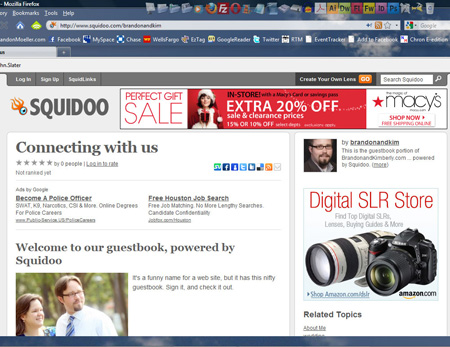
If you’re interested in seeing the Squidoo page I set up today but likely won’t continue messing with, see it here: http://www.squidoo.com/brandonandkim … Really, I just think I’m too old for that many ads. However, if anyone clicks on them, I might make money. Ka-ching … yeah, right.
Typekit makes the heart grow fonder

TypeKit is here and as more browsers start to adopt the @font-face rule, I decided to take it for the old free trial spin for BrandonandKimberly.com.

It was easy. I went to their website, signed up, chose two fonts from the free trial selection and specified what domain I will be using them on. The free trial only allows for the use of two fonts on one domain. I then copied the two-line Java call and pasted it into the head of all the site’s pages, then configured the easy-to-use TypeKit editor to specify which font corresponded to which selector in my HTML/CSS of the site, and after a few minutes, I was done.

I chose FF Enzo Web

I chose Scrivano

But it doesn’t work in all the browsers I use. Here’s the results of my survey:

Go

MAC
Firefox 3.5.5
Safari*

PC
Firefox 3.5.5
Internet Explorer 8

No Go

Mac
Camino
Google Chrome
Opera

PC
Chrome 3
Internet Explorer 6+7

* Though BrandonandKimberly.com keeps crashing Safari. Doh! Man, I hate that browser.

Also, I’m kind of disappointed in the way that various browsers display the fonts I chose.

Check out these screen shots. Discuss.

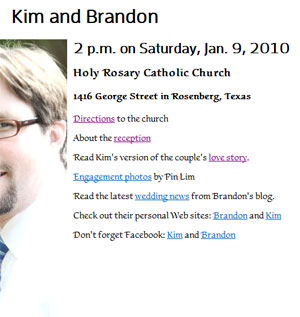
Firefox 3.5.5 (PC): This is how Typekit displays our wedding Web site on the browser of my choice.
Internet Explorer 8 (PC): It doesn't display as nicely, but, maybe that's just my opinon. Notice how the weights of the headlines between this one and FF are inconsistent.
Internet Explorer 8 (PC): It doesn't display as nicely, but, maybe that's just my opinion. Notice how the weights of the headlines between this one and FF are inconsistent.
Firefox 3.5.5 (Mac): It looks pretty good on Firefox for Mac.

Our wedding program

I have finished the design for the wedding program! Our wedding program. The one I insisted on designing and getting printed myself.

We used the font Brioso Pro throughout the program.

Main wedding program graphic
Here's the main graphic for the cover of the wedding program that I designed.
Interlocking name
Here's the graphic I created for our name. Note the interlocking ampersand.
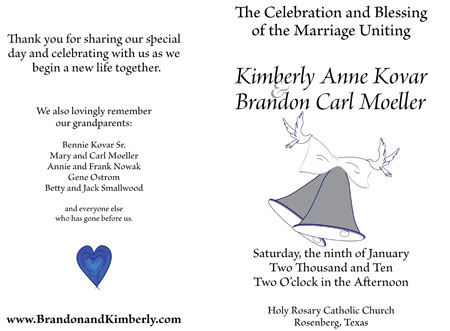
Wedding program
Here's the front and back covers of the wedding program.

Here is the PDF of the wedding program I designed for our wedding.


Texas Music Festival website launches

I worked with the small staff of the Texas Music Festival to redesign this website and it launched in October 2009, a year before our college would launch its first website in the new HannonHill Cascade CMS purchased by the university.

TMF
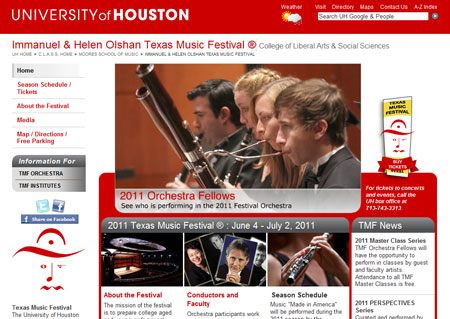
The Texas Music Festival homepage.

It was designed to look very similar to websites that the University-level web team were creating in the CMS prior to the college’s immersion in the system.

It utilizes a template that our team in the CLASS Office of Educational Technology created to tide the college over until we could begin designing sites in the CMS.

One interesting aspect about the TMF website is that it has at least three specific audiences: First and foremost are the students, most of which will attend the orchestral summer camp and use the website to discover more information about it and meet the requirements for admission. Students who don’t wish to participate in the orchestra camp can participate in TMF Institutes that focus on four distinct areas of music instruction.

These two audiences are addressed through the gray navigation menu which I designed that is under the site’s main left navigation scheme.

The other major audience is the general public, namely those who attend the festival’s various concerts and events.

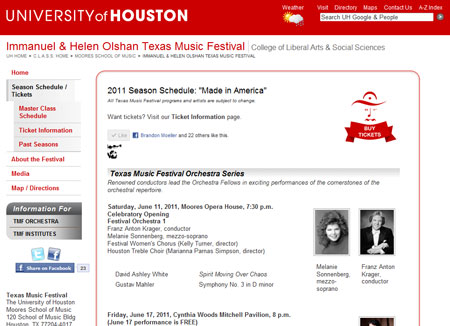
One of the most popular pages of the website is the season schedule page, which is updated frequently throughout the year as information becomes available.

TMF
The Texas Music Festival Season Schedule page.

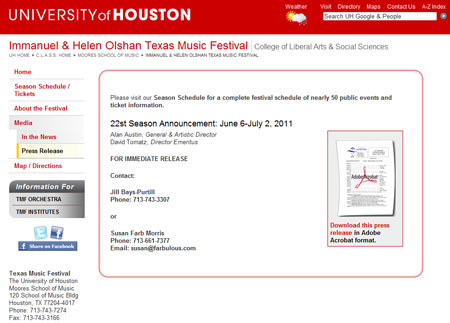
Another important audience for the website is the media partners that help get the word out.

TMF
The Texas Music Festival Press Release page.

Since the website launched, the TMF staff have reported that admission applications have significantly increased and that major festival events have sold out.

I believe this has a lot to do with the website, and also the efforts TMF staff members have invested in marketing and advertising the website, with the help of freelance marketing experts who are establishing a name for the festival in the local arts community.

E-Soc newsletter is printed

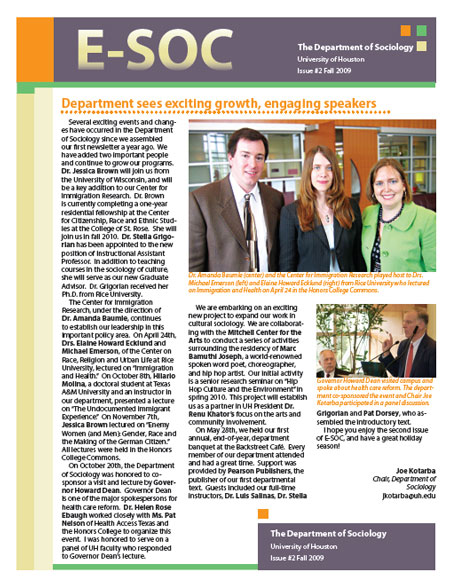
This is the second E-SOC newsletter that I have designed for the Department of Sociology in the College of Liberal Arts and Social Sciences at the University of Houston.

E-SOC newsletter
E-Soc newsletter for Fall 2009

The design is based on an InDesign template that I modified for the needs of the Sociology Department.

I was responsible for laying out the content and completing the pre-press work on the newsletter and its photographs. I also suggested how to reduce the content to fit the two-page design.

To Bear Fruit For Our Race website launches

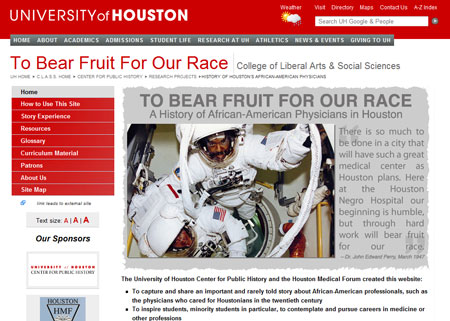
I designed this website homepage with Adobe Photoshop and Adobe Illustrator, and it uses an open-source javascript to rotate the images.

To Bear Fruit for Our Race
The To Bear Fruit for Our Race homepage

The website is a special project of the Center for Public History, and is used in intermediate and high school classrooms to educate students about Houston black history.

Our wedding coozie designs

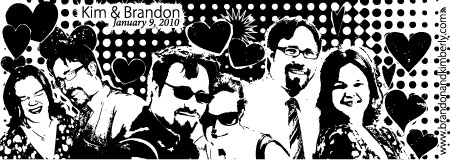
Today, I finished the designs for the coozies that we will give away during our wedding.

I designed them using Adobe Photoshop and Illustrator CS4.

Here they are:

blue coozie
The blue "formal" coozie.

Photos taken for the blue coozie were shot by Pin Lim, from our engagement photo shoot. The background of this coozie will be blue, so the ink needs to be white, and so the white ink is black above – which means it’s kind of hard to tell what this one will look like. I’m confident it will be awesome.

white coozie
The white "fun" coozie.

One of the photos taken for the white coozie was shot by Pin Lim (see the one on the far right). The others were shot myself, holding the camera out at a decent distance. This coozie was white with blue ink, so it’s not hard to see what it will look like, since the black ink above will be blue.

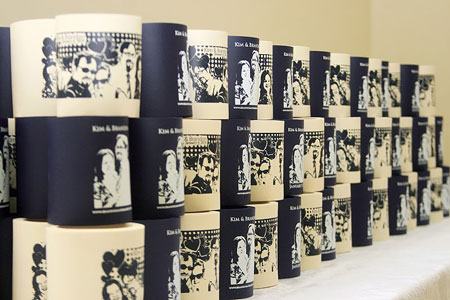
UPDATE: See a photo of the finished coozie, printed by Kustom Koozies, from Pin Lim’s wedding photo shoot:

The coozies
The coozies came out great. Our guests loved them!